
Candy
Edit and redact screenshots before sharing them from your Mac.
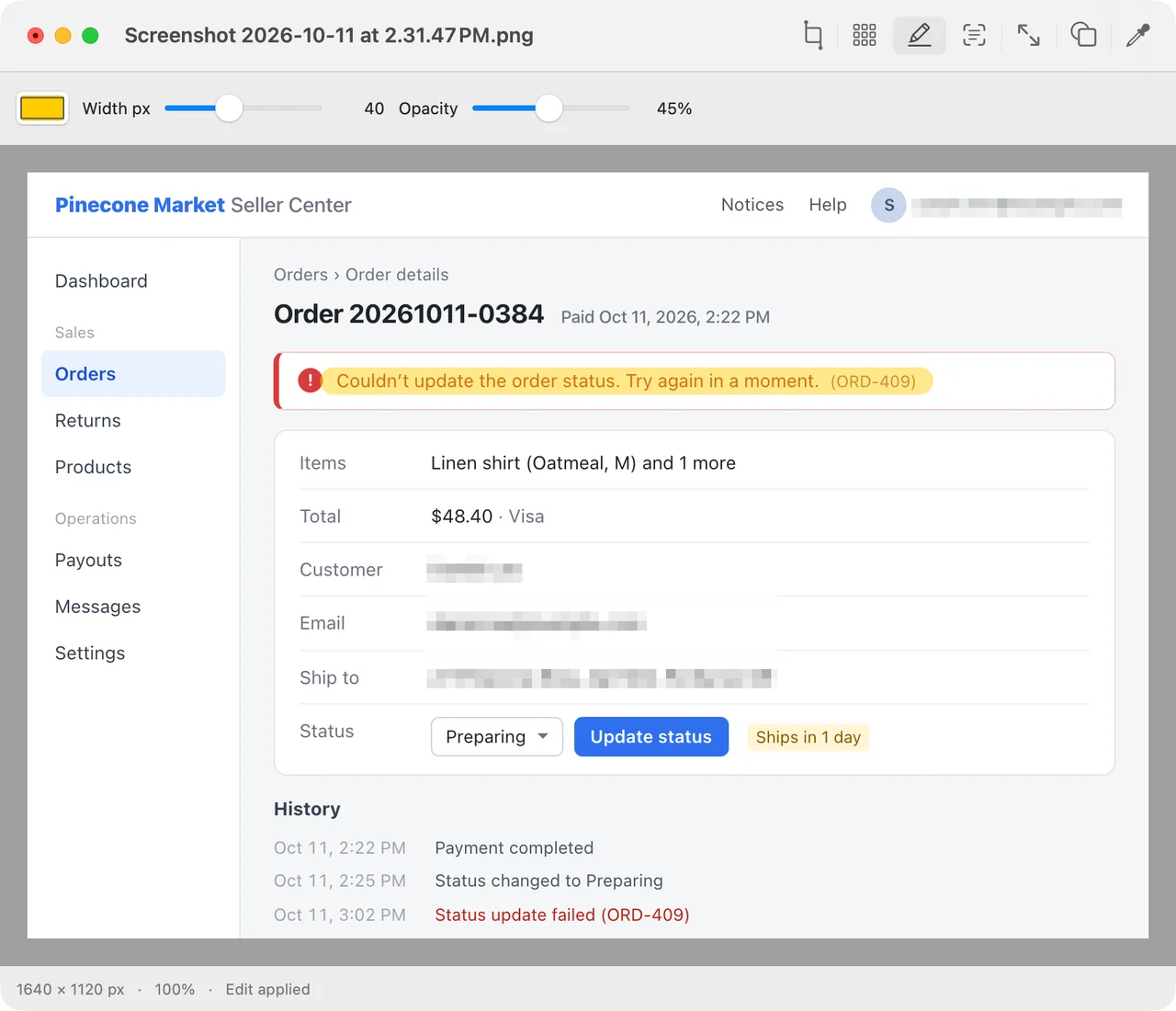
The last edit before sending
A screenshot for a bug report often needs a highlight on an error, a mosaic over an email address, or a tighter crop. Candy opens it in a native Mac window and saves the edit as a new image. Apple Vision picks out lines of text locally, so you can review the boxes and choose exactly which ones to pixelate.
One engine for the app and the shell
The Swift and AppKit editor shares its Rust image engine with the command-line tool. You can crop or resize a batch from a script, preview an image inline in a Kitty-compatible terminal, or open the editor from tmux and get your prompt back immediately.
Features
- Highlight, region and text mosaic, crop, resize, 90° rotation, transparency flattening, and an eyedropper with a magnifying loupe that copies hex or RGB.
- Opens formats supported by macOS Image I/O, including HEIC, PSD, and camera RAW, plus SVG through resvg. Export formats include PNG, JPEG, HEIC, WebP, and AVIF on supported versions of macOS.
- The first save creates a copy, including when the source is a symlink or hard link. The CLI also supports explicit in-place edits.
- candy inspect reports a file's format, colour profile, alpha, and pixel statistics, as text or JSON.
- Native document windows and tabs with undo, in English, Korean, and Japanese.